Posts

ComEd Electrical RRTP Savings Program - 6 Month Review

Image
I've been on the Chicago area Commonwealth Edison RRTP (Residential Real Time Pricing Program) for about 6 months. I've been extremely happy with the savings that we have seen on the program. I blogged about the setup and equipment a couple months ago in this blog post ( http://blog.trebacz.com/2012/10/comed-residentipricing-rrtp-program.html ). That blog post show what the equipment, installation time, and billing cycle look like. Now I wanted to share what the savings look like to my house in just 6 months with the program. Conveniently ComEd has a referral program. They sent me an email with my savings and encouraging me to tell my friends (in turn I get a $20 credit for each person who mentions my name when they sign up). So here it is (in ComEd's words). Hi,  I’ve been taking control of my electricity bills with an innovative program called ComEd Residential Real-Time Pricing ( ComEd.com/RRTP ).  This program is special...

Adding local logcheck rules to wview to reduce chattiness on server instalation

Image
Wview running on my station in Fountain Hills, AZ I recently installed wview (version 5.20.2) to monitor my Davis Vantage VUE weather station ( weather station unboxing and hardware review ). This station runs on a 24/7 headless 10.04 Ubuntu LTS server in my basement. I've finished getting it set up and running. I really like the software. The only thing I haven't seen addressed is the verbosity of the logging. Wview has great capabilities to enable a disable logging from the GUI (see online manual http://www.wviewweather.com/release-notes/wview-User-Manual.html#Configuration-wviewmgmt-services ). I found this invaluable when originally setting up my Ubuntu system, but have turned all the configurable logging off. I'm currently getting a few to many logcheck alerts each day from the server. I run logcheck at the "server" level (sudo nano /etc/logcheck/logcheck.conf configuration line set to REPORTLEVEL="server") to keep track of anything out of t...

Davis Vantage Pro 2 Envoy, Vantage VUE, and USB Weatherlink Unboxing - Part 2

Image
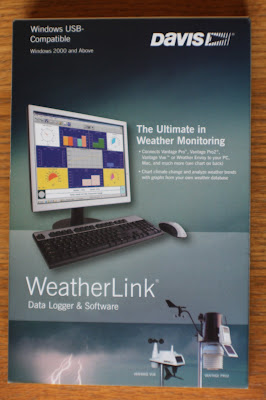
This is the second part of the article about selecting, unboxing, and reviewing a Davis USB data logger (6510USB) and Vantage Pro2 Weather Envoy (6316) ( Part one of the review is here ). Vantage Vue Wireless ISS (Integrated Sensor Suite)  - 6357 Vantage Pro2 Weather Envoy - 6316  USB data logger with WeatherLink software - 6510USB In this part of the review we look at items 2 and 3 of the  system   Both of these units can work with other sensors, but the ISS  wireless  sensors met my needs. It also allows me to move the sensor  assembly  around as I find the perfect location for it. USB 2.0 datalogger and WeatherLink software box - front USB 2.0 datalogger and WeatherLink software box - back     Software manual, DVD, USB data logger, and 8 foot USB extension cable Very happy with the design of the USB logger and the USB extension cable qualit...

Davis Vantage Pro 2 Envoy, Vantage VUE, and USB Weatherlink Unboxing

Image
I decided to take the plunge and buy a Davis Vantage VUE weather station for my house. I wanted a quality unit that I wouldn't have to mess around with that reported reliable results. I also didn't want to pay a fortune for what is really a hobby. I planned this to be the perfect compliment to the McHenry Illinois radar weather that shows on my family website. ISS Sensors (big brown box - back), Weather Envoy (white box - left), and USB datalogger and software After talking with application specialist at Davis Instruments  I came to the conclusion that to meet my needs I needed: Vantage Vue Wireless ISS (Integrated Sensor Suite)  -6357 Vantage Pro2 Weather Envoy    - 6316  USB data logger with WeatherLink software  - 6510USB For me this made sense, since I wanted: To measure a variety of  outside  parameters Publish frequent measurements to the web (always available anywher...

How to Fix Leaking Moen High Arc Kitchen Faucet -DIY

Image
Our Moen high arc kitchen faucet started to leak around the base of the high spout. We had the Moen Monticello 7700 series single handle faucet for 8 years and it still looked great, it just developed a leak around the base of the spout. Looking at the Moen Monticello 7700 series faucet instruction manual this kitchen faucet has a lifetime guarantee for homeowners and there is an o-ring (#25 in the parts diagram) that is likely the source of the leak. Use the exploded diagram on page 2 of the manual to get the part numbers in the rest of the article. Moen 700 Series Single Handle High Arc Kitchen Faucet The high arc faucet would leak around the base for several hours after being shut off. It came from the water that was in the spout assembly after shutting the faucet off. Water Leaked Out of the Spout Nut at the Base of the Cathedral Spout Assembly I called the 800 number at 1-800-289-6636 and requested an o-rin...

Using BackUpPC and Rsync to Backup Macbook Pro Mountain Lion OS

Image
My daughter got a MacBook Pro for college. She studying journalism and photography at Drake University and a Apple computer was heavily suggested for the magazine curriculum. So we dutifully went out and got a cool MacBook Pro. A big change for us since all of our machines are currently run Microsoft Windows and Ubuntu Linux. When she came home over Thanksgiving break, I decided to set up backuppc to also back up her local files when she was at home. Using backuppc it's nicely transparent to everyone involved. For me it's one central server that backs up all of our PC's and just one place I need to manage storage (I just added a 3TB drive to the mirror array ). Should be pretty simple, since it's all linux underneath. Essentially the process was: Exchange public SSH keys between the two machines (MacBookPro and backuppc server) and enabled SSH on the MacBook. Took me almost as much time to figure how to fire up a terminal session.  http://gerwick.ucsd.edu/...

Avast Antivirus Blocking BackupPC Rsync connections on Windows XP

BackupPC giving error all of a sudden. full backup started for directory cDrive (baseline backup #0) Read EOF: Connection reset by peer Tried again: got 0 bytes Error connecting to rsync daemon at 192.168.0.199:873: unexpected response Got fatal error during xfer (unexpected response) Backup aborted (unexpected response) Not saving this as a partial backup since it has fewer files than the prior one (got 0 and 0 files versus 0) Turns out the problem seems to be an update of Avast antivirus has now decided to (quietly) block connections on port 873 on my Windows XP machine. If I disable antivirus protection the backup happens wonderfully. Of course then the machine isn't protected by my anti-virus. After digging into it deeper it seems that the offending Avast tool is the "behavior shield". By going into the Behavior Shield>Expert Settings>Trusted Processes>Browse>Add and adding rsync.exe and cygrunsrv.exe. Now Avast n...